Taio - Markdown & Text Actions

Taio - Markdown & Text Actions

von 颖 钟

  • Kategorie: Productivity
  • Veröffentlicht: 2020-11-21
  • Aktuelle Version: 1.68.0
  • Adult Rating: 4+
  • File Size: 43.78 MB
  • Developer: 颖 钟
  • Compatibility: Requires iOS 15.0 or later.
Score: 4.49206
4.49206
von 63 Bewertungen

Beschreibung

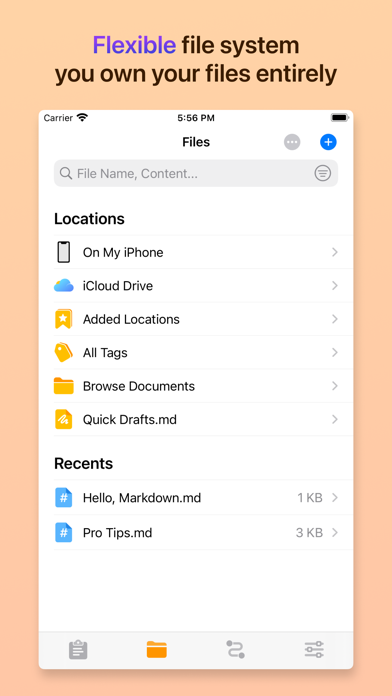
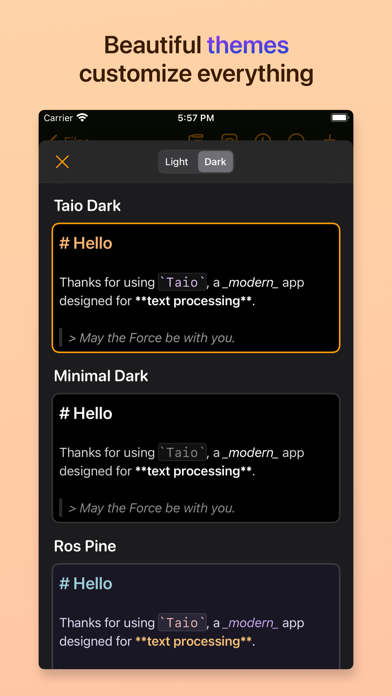
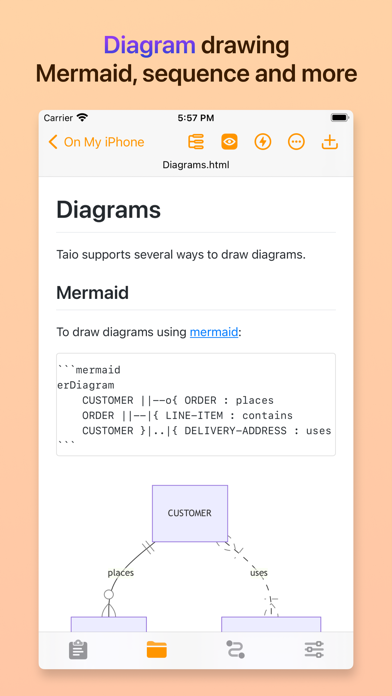
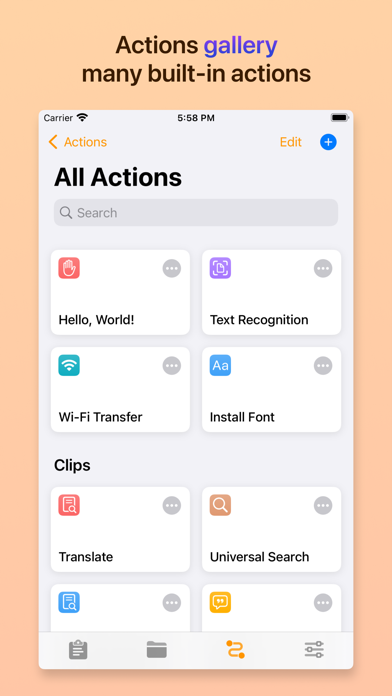
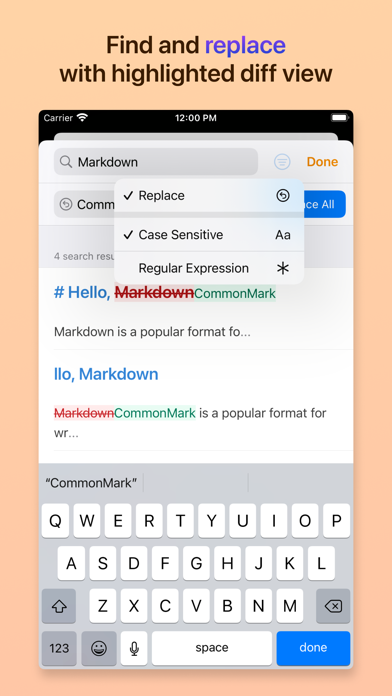
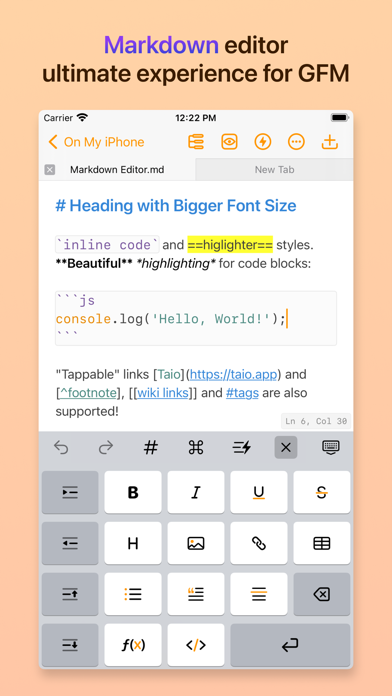
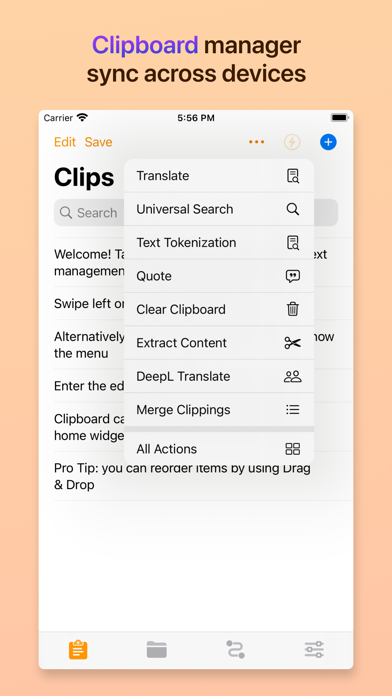
> Trusted by more than 200K users. > Featured as "Be the First to Try These Apps" and "Hot This Week" by Apple. > Featured by well-known media like iMore and MacStories. # Taio A modern app for text processing on iPhone, iPad, and Mac, provides seamless experience for clipboard, markdown editing and text workflows. Taio supports Universal Purchase, pay once to use on iPhone, iPad and Mac devices. ## Main Features ### Clipboard Taio takes clipboard data as one of the input sources, you can capture it quickly for *temporary* use. Saved records can be synchronized across your iOS devices using iCloud, we also provide beautiful home screen widgets for better experience. ### Editor Taio provides a full-fledged **Markdown** editor, it supports `CommonMark` and `GitHub Flavored` standards. Instead of telling you everything, we would like to highlight some great stuff here: - Full text search, in-document search - Built-in image uploading - Focus mode - Multi-Tab editing - Multiple color themes - Toolbar for beginners - Outline view - Math formulas and diagrams - Tags, wikilinks and backlinks - Export to multiple formats - Dynamic text in snippets - Open file system that can be accessed by other apps - Syntax highlighting for common programming languages There are more interesting features we cannot cover here, please try it out! ### Actions Text actions in Taio is a powerful mechanism to provide extensibility for both **clipboard** and **editor**, it works the same as the `Shortcuts` app. You can build your own workflows using several action blocks, with support for variables and control flows. Furthermore, if the built-in actions don't meet your needs, you can even write action blocks using **JavaScript**. The JavaScript engine in Taio is powered by JSBox, it provides tons of API bindings to interact with iOS. ## Customer Support Feel free to reach us out if you have any suggestions or ideas. - Website: https://taio.app - Email: hi@taio.app - Twitter: @TaioApp Privacy policy: https://docs.taio.app/#/privacy Terms of service: https://docs.taio.app/#/terms Thank you so much for reading this, we hope you enjoy using our app!
Screenshots

Reviews

  • Really good – But one annoying bug on ipadOS26

    3
    von Lfl_
    In general really good. But the PDF Preview is broken on iPadOS 26. When opening a pdf it just shows blank. Same for the preview of the exported PDFs.
  • Amazing app

    5
    von Jerriman75
    This app is a great editor. I love the fact that you can natively edit files on icloud, because this makes the file immediately available on all my devices! Thanks for creating this app!
  • Wirklich Spitzenklasse

    5
    von NF25899
    Mich interessiert Markdown, um Texte einfacher und schneller zu verfassen und anschließend leicht umzustrukturieren, für Planungen, Aufträge und allgemeine Schriftstücke. Insofern nutze ich nur einen Bruchteil der Möglichkeiten. Taio Pro ist für mich der bislang beste Weg, diese Aufgaben elegant und ansprechend zu bewältigen. Dabei bin ich außerdem froh, dass es hier auch per Einmalkauf geht und nicht nur im Abo. Sehr gut und wichtig für mich ist die Möglichkeit, nicht (nur) in einer Library zu arbeiten, sondern freien Dateizugang zu haben. Auch der einfache Wechsel zwischen Mac, iPhone und iPad ist angenehm. MarkDeep Preview ist eine gern genutzte Funktion, ebenso wie die Exportformate.
  • Does not scale

    3
    von matebitte
    Neat app. Tried to add my obsidian vault (1500 Files) and even with this relatively small vault it crashes constantly :(
  • Great editor, but the Mermaid plugin needs an update

    1
    von TexJoachim
    Taio is a great editor, but the Mermaid plugin definitely need an update. Latest Taio ships with v9.1.1, current Mermaid version is v10.9.0.
  • Derzeit einer der besten Markdown Editoren

    5
    von Bronteroc
    Neben den zu erwartenden Standards wird in Taio auch Syntax Highlighting in den Codeblocks für viele Sprachen dargestellt. Der Hammer ist, dass auch mermaid-Diagramme in der Vorschau gerendert werden. Bei den anderen Editoren fehlt immer eine Kleinigkeit, Taio hat fast alles. Einziges kleines Manko ist Taio neben den Dokumenten in der eigenen Bibliothek, welche per iCloud zur iOS-App gesynct werden, dass es keinen einfachen File Open Dialog gibt. Aber über "Öffnen mit" im Finder lässt sich jede Datei bearbeiten. Taio ist mein Markdown-Standard-Editor geworden.
  • Useless without 3rd party storage

    1
    von Frank aus Stuttgart
    I have a yearly subscription for 6 months already and have not used it at all because my files are not accessible. Nextcloud especially. I know that this feature is on their todo list. Still. Until further notice: it’s useless. I can’t even say if the editor is good or not. No need to answer. Better work on that feature.
  • eaching example, how to lose potecial users (buyers)

    2
    von bernham
    Dear developers, if you want to make a maybe really good app palatable to the user, then offer him the full feature set for a limited period of time. Not with every simple setting, "Requires Taio Pro"! I do not buy a "grab bag"! Create a better business model! Sincerely Bernhard
  • Tolle Copy/Paste-Lösung mit 1-A Editor

    3
    von lutzlapalma
    Ich habe wirklich einige Copy-Paste-Apps ausprobiert, mit denen ich auf iOS, iPadOS und macOS zeitgleich die Zwischenablage identisch haben wollte. Keine hat vernünftig oder zuverlässig funktioniert. Taio ist selbst in der kostenlosen Version einmalig. Sehr zu empfehlen, unbedingt ausprobieren! Die Pro-Version werde ich nach weiteren Tests mit ziemlicher Sicherheit upgraden, auch wenn mir der Preis zu hoch gegriffen scheint. 19.99 Euro wären auch genug und weniger abschreckend.
  • Now on OSX !!!

    5
    von HSlibar
    Perfekt on iOS and now on my Mac. Thank you!

keyboard_arrow_up