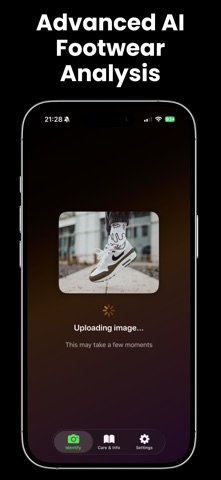
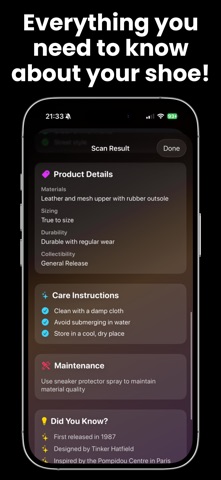
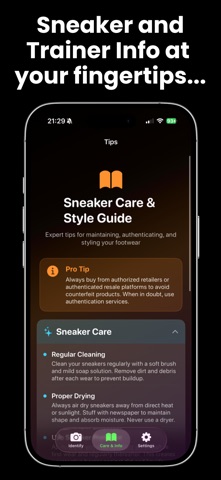
Trainer ID uses advanced artificial intelligence to instantly identify trainers and shoes from a single photo. Whether you are a trainer enthusiast, collector, reseller, or simply curious about a pair you have seen, you can access detailed information within seconds. Instant Identification Identify brand, model, and colourway. View retail price and availability. Learn about release dates, limited editions, and rare or collectable trainers. Authenticity Guidance Receive detailed notes on authenticity and learn how to spot fake trainers. Get advice on trusted retailers and reduce the risk of purchasing counterfeit products. Comprehensive Information See materials and construction details. Access sizing recommendations including whether the shoe runs small, large, or true to size. Gain insights on durability, longevity, collectibility, and resale value. Care and Maintenance Get material specific cleaning instructions, storage recommendations, and tips to prevent yellowing or damage. Keep your trainers looking their best with expert advice. Expert Knowledge Base Read styling guidance, buying tips, authentication techniques, and detailed material care information for leather, suede, mesh, canvas, and more. User Friendly Experience Take a photo or upload from your library. Enjoy fast AI analysis, save your identification history, and track your trainer collection. Perfect For Trainer collectors, resellers, authenticators, fashion minded users, and anyone interested in footwear. Premium Features Unlock unlimited identifications, extended authenticity insights, full care and styling guides, and priority support. About Trainer ID Trainer ID uses advanced image recognition technology to analyse your photos and deliver accurate information about trainers from major brands including Nike, Adidas, Jordan, New Balance, Yeezy, and many more. Privacy Policy: https://angelapplications.co.uk/privacy-policy/ Terms of Use: https://angelapplications.co.uk/terms-of-use/ Licence Agreement: https://www.apple.com/legal/internet-services/itunes/dev/stdeula/