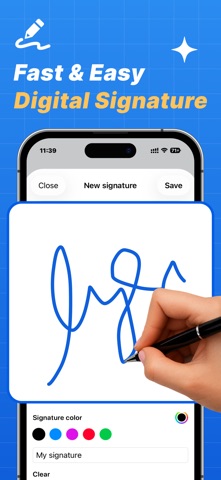
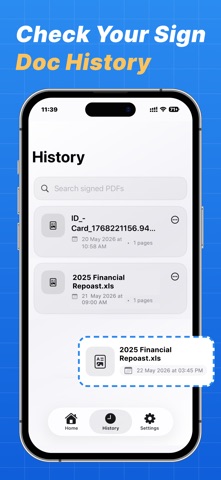
eSign PDF makes signing documents fast, secure, and effortless. Import PDF files, create electronic signatures, place signatures anywhere on documents, and export signed PDFs in seconds. Designed with a modern and premium experience, eSign PDF helps you manage contracts, agreements, forms, and important documents directly from your iPhone. KEY FEATURES • Import PDF documents from Files app • Draw electronic signatures with smooth gesture support • Save and reuse unlimited signatures • Add signatures anywhere on PDF pages • Resize and move signatures easily • Real-time PDF preview • Export signed PDFs instantly • Share signed documents securely • Save signed files locally • Manage signed document history • Dark Mode support • Fast and smooth PDF rendering • Premium modern UI experience PREMIUM FEATURES • Unlimited PDF signing • Unlimited saved signatures • Faster exports • Ad-free experience • Premium features and future updates WHY CHOOSE eSign PDF? • Simple and easy to use • Clean productivity-focused design • Secure local storage • Perfect for business, office, and personal use • Works seamlessly on iPhone Subscription Information Payment will be charged to your Apple ID account at confirmation of purchase. Subscriptions automatically renew unless auto-renew is turned off at least 24 hours before the end of the current period. You can manage or cancel subscriptions anytime in your App Store account settings. • Terms of Use: https://sites.google.com/view/jyotivaidya/terms-conditions • Privacy Policy: https://sites.google.com/view/jyotivaidya/privacy-policy Whether you need to sign contracts, forms, agreements, or official documents, eSign PDF provides everything you need in one powerful app.