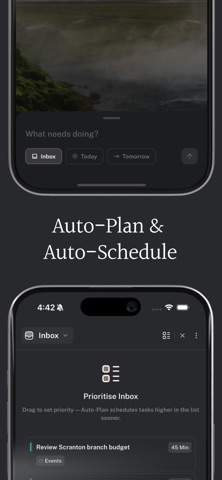
Aftertone is the quickest and most intentional productivity app ever made. Plan your day in seconds, execute without interruption, and get smarter about your work every week. Most productivity tools give you more to manage. Aftertone is built on proven behavioural science — time blocking, habit formation, flow research — so every feature makes you more focussed, not more busy. START EVERY DAY KNOWING EXACTLY WHAT MATTERS Every task in one view. Set your priorities and give your most important work the time it deserves. Got a wall of text from a client, a stream of emails, or tasks scattered across other tools? Auto-capture reads it and creates structured tasks automatically, ready to plan straight from your inbox. GET INTO FLOW AND STAY THERE The focus screen shows you one thing at a time. Complete a task and Aftertone surfaces the most relevant next one — pick it with a single tap and your calendar updates in real time. Add subtasks as they come, extend or shorten sessions on the fly, or take a break that's automatically reflected in your schedule. UNDERSTAND YOUR WEEK — HONESTLY Planning is easy. Knowing whether it worked is the hard part. Your weekly report shows total flow sessions, your peak day, and a full timeline of exactly when serious work happened (and when it didn't). GET SMARTER EVERY WEEK Aftertone is intelligent, but never in your face. It quietly plans work around your energy, nudges you past procrastination, and helps you hold flow. Over time the suggestions get more precise — and the gap between effort and output closes. EVERYTHING YOU NEED, NOTHING YOU DON'T • Auto plan and scheduling — your day is organised before it fills up • Auto task capture — paste anything or add a screenshot; structured tasks appear instantly • Focus mode — one task, no distractions, calendar updated as you work • Voice commands — speak to add and manage tasks • Kanban planning — every project in one view; drag, reprioritise, move fast • Auto project tagging — every task labelled the moment it lands • Task notes — Markdown notes, links, and briefs attached right where you need them • Weekly report — flow sessions, peak day, and your real work timeline • Google Calendar sync — two-way and real-time; every block appears everywhere • Works with Aftertone for Mac — your whole system, in sync on every device BUILT ON RESEARCH, NOT HYPE Aftertone users average 6 more hours of focussed work each week, 34% more flow sessions, and see results within 14 days. Independently owned. No investors to please, no feature bloat, no AI noise. Just a system that helps you finish what you start. Try Aftertone free and see what you're capable of when nothing gets in your way.