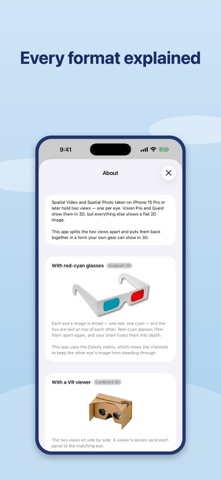
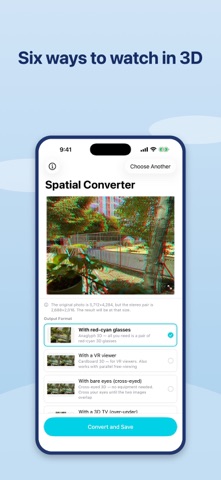
iPhone 15 Pro and later capture Spatial Video and Spatial Photo — two views, one for each eye. Vision Pro and Quest show them in 3D. Everything else shows a flat 2D image. Spatial Converter splits the two views apart and puts them back together in a form your own gear can show in 3D. SIX WAYS TO WATCH • Anaglyph 3D — red-cyan glasses. Uses the Dubois matrix, which mixes the color channels to keep the other eye's image from bleeding through. • Cardboard 3D — side by side, for VR viewers. Also works with the naked eye using the parallel viewing technique. • Cross-eyed 3D — the same layout with the panels swapped. Cross your eyes slightly and the 3D image appears. No equipment at all. • Over-Under 3D — stacked top and bottom, for 3D TVs and players that expect it. • Left and right separately — two ordinary 2D files for your video editor. • Spatial (MV-HEVC) — a lossless copy of the original, for Vision Pro and Quest. SEE IT BEFORE YOU CONVERT Pick a format and the preview changes at once. Compare all six, then convert the one you want. No guessing. BUILT FOR SPATIAL MEDIA • Checks which view belongs to which eye before converting, so depth comes out the right way round — an error that is easy to make and hard to notice. • Applies the convergence hint recorded by the camera. • Keeps the audio track untouched. • Converts a 15-second clip in a few seconds. PRIVATE AND SIMPLE • Everything happens on your device. Nothing is uploaded. • No account, no ads, no subscription. • Only asks permission to ADD to your photo library — it never reads your photos. REQUIREMENTS Spatial Video and Spatial Photo are captured on iPhone 15 Pro or later: Camera app → the spatial icon → hold the device in landscape. --- WHAT'S NEW (v1.2) ---------------------------------------------------- [744] Spatial Photo support, three new output formats, and a live preview. • SPATIAL PHOTO — convert the stereo photos your iPhone takes, not just video. All six formats work with photos too. • CROSS-EYED 3D — a new format that needs no equipment at all. Cross your eyes slightly and the 3D image appears. • LEFT AND RIGHT SEPARATELY — export each eye as its own 2D file for editing. • SPATIAL PASSTHROUGH — save a lossless copy for Vision Pro and Quest. • LIVE PREVIEW — see each format on screen before converting. • Left and right are now confirmed before converting, so depth comes out the right way round. • Anaglyph rebuilt on the Dubois matrix for less ghosting. • Anaglyph, Cardboard and Over-Under 3D work as before. Requires iOS 18.