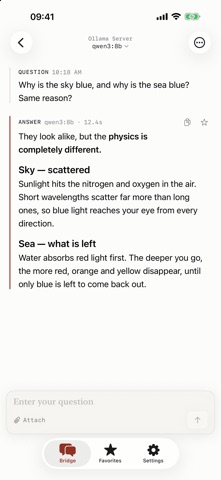
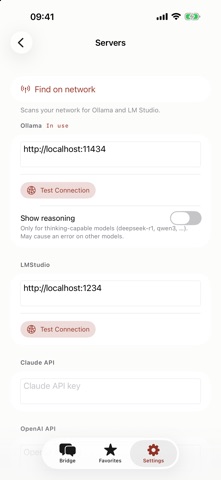
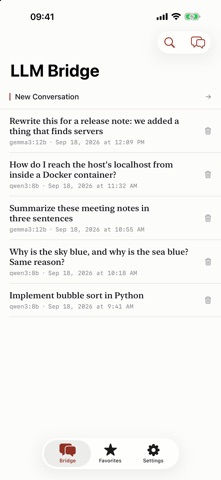
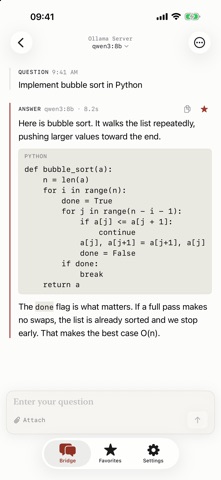
Use the LLM running on your home or office machine — from the device in your hand. Ollama and LM Studio have no official mobile app. LLM Bridge fills that gap. ■ It finds your server One tap finds the Ollama and LM Studio servers on your network. No walking over to the other machine to look up an IP address. Entering a remote address by hand still works. ■ Your conversations stay on your device Everything is stored locally. No account, no subscription, no transcript uploaded anywhere. Searchable, and you can collect individual question-and-answer pairs as favorites. ■ Built for reading A transcript, not chat bubbles. Code is set apart so it reads as code, and when a model emits its reasoning it is shown separately from the answer. Each answer records which model wrote it and how long it took. ■ Whatever model you want Switch provider and model in the middle of a conversation. Deepseek, Llama, Gemma, Qwen, Mistral — whatever your Ollama serves. ■ Cloud too Add your own Claude or OpenAI API key and use them from the same screen. ■ Also · Attach photos, text and RTF files — with a vision model, a photo becomes a question · Take a picture and ask about it · Custom instructions (system prompt) plus Temperature, Top P and Top K · Copy or share a single turn, or the whole conversation · Korean, English, Japanese, Chinese Local LLMs require a computer running Ollama or LM Studio.